|
Unusual Characters in Names
When one defines a local name on a Sheet named “Test”:
Name: Test!test Refersto: “1”
and renames this sheet to e.g. “Hi! There!” (without the quotes), this name becomes inaccessible for editing and deleting, yielding an invalid name error message.
Other strange characters in sheet names (especially “[“, “]” and char(3) ) may even cause a crash of Excel when trying to access these local sheet names. A check has been included in the name manager to overcome this problem, yielding this message:
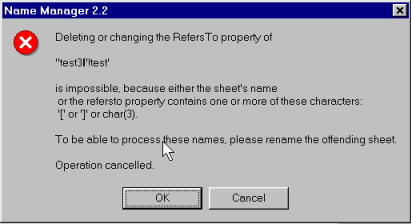
Press cancel if you have multiple names selected and wish to abort the process you have chosen.
|

