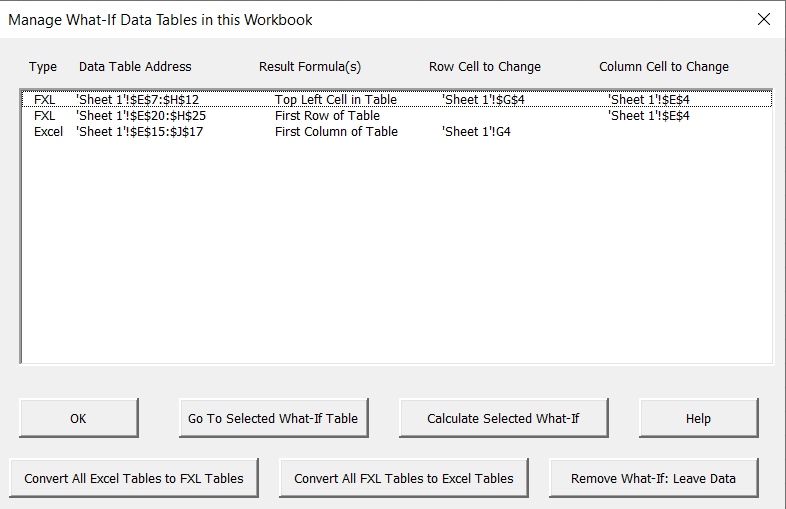
The Manage What-Ifs Userform
This example shows the 2 FXL What If Tables and 1 Excel Data Table in the workbook.
Go To
You can double-click an entry or select an entry and click the Go To Selected button to go to its location on its worksheet.
Convert Excel What-Ifs <-> FXL What-Ifs
You can convert all the What-If tables between the Excel and FastExcel versions in either direction.
Calculate Selected What-If
If the active cell is within a FastExcel What-If Table it will be recalculated.
Remove What-If: Leave Data
This removes the What-If calculation part from the selected Table. The Result Formulas themselves and the change values are left intact.