Setup/Change a What-If Table
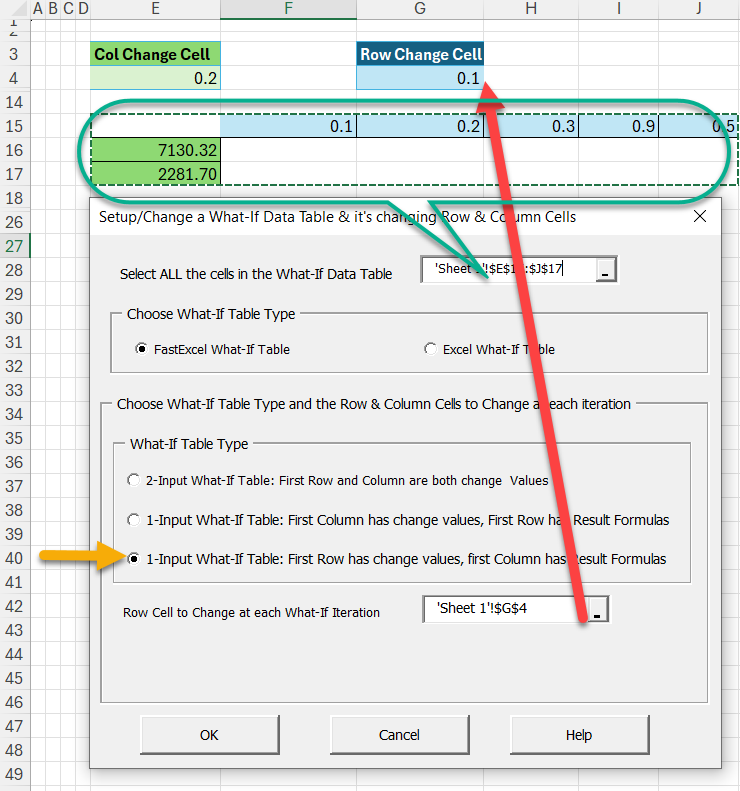
This command provides a simple method of creating either an Excel or FastExcel What-If table from a skeleton on the worksheet: this example skeleton has 5 change values in the first row and 2 result formulas in the first column.
1.Select all the cells in the skeleton.
2.Choose the Table Type.
3.Select Cell to change.