|
LET/LAMBDA Wizard
This button launches the LET/LAMBDA Wizard.
The Wizard converts the current formula to a LET or LAMBDA Formula.
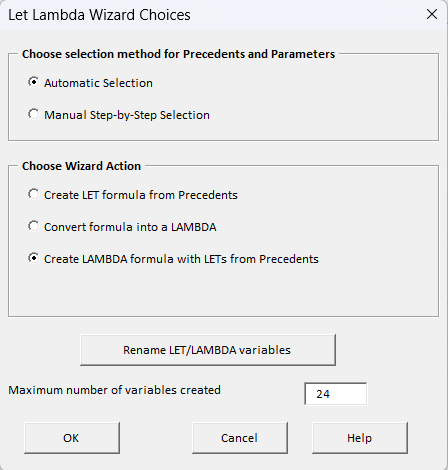
Automatic Selection
Automatic Selection finds all the precedents of the current formula.
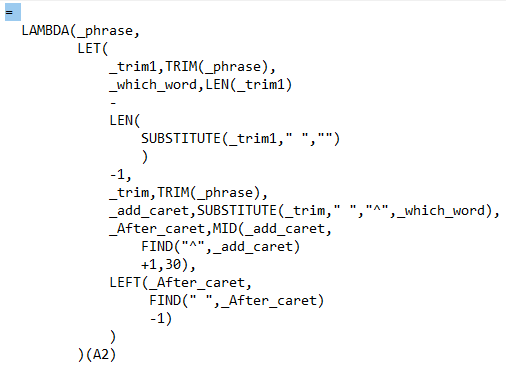
Precedent references that contain formulas are replaced by LET variables with calculation definitions created from the precedent formulas. Precedent references that do not contain formulas are converted to LAMBDA parameters and the references are added as arguments to the LAMBDA.

The current formula is cell G2 colored blue: =LEFT(F2,FIND(“ “)-1)
The precedent cells with formulas are colored green.
The precedent cell that does contain a formula and has no precedents is colored red (A2).
The converted formula is shown below.
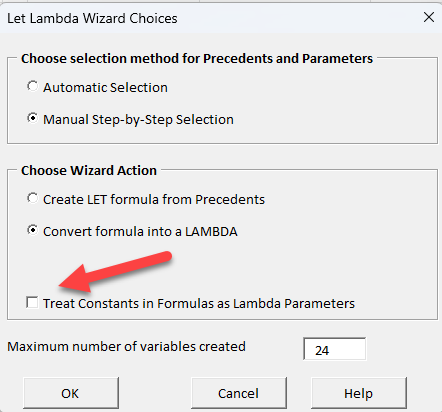
Manual Step-by-Step Selection
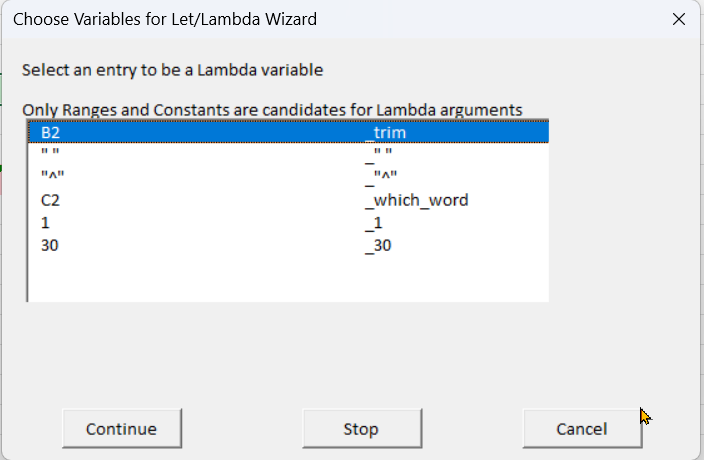
Does the same actions as automatic but allows precedents to be individually selected as required. Precedents with formulas can be converted to LAMBDA variable if preferred. Optionally constants can be converted to Lambda Variables and Arguments
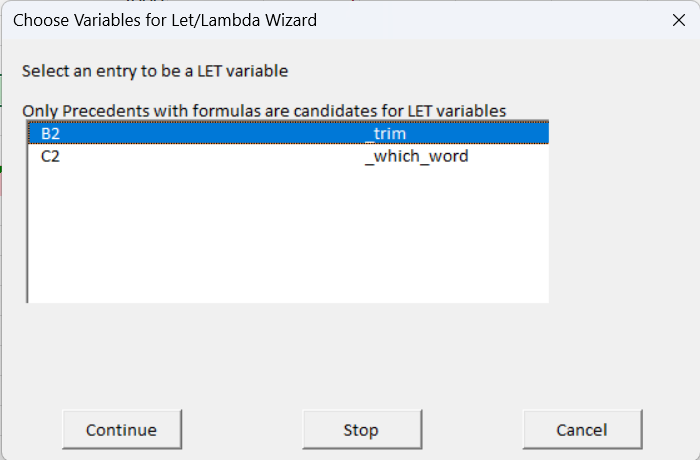
Continue will convert the selected Precedent and then move to the next Precedent.
Stop will stop the precedent selection and show the converted formula.
Variable Names
The LET/LAMBDA wizard will look for suitable Text names for the LET and LAMBDA variables in adjacent cells to the Precedent, or will convert the reference address of the precedent into a Name.
Use the ‘Actions…’ ‘Change Let/Lambda Variable Names’ button to change the generated names into more meaningful Names.
|

