|
Refers-to edit box
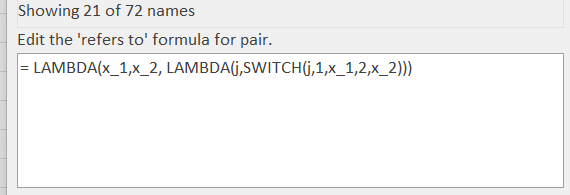
Below the Name Listbox is the Refers To Edit box. Use that to edit a name’s refers to property. When more than one name is selected, the Refers To Edit box is not available.
If a name contains a relative reference, the result of changing the refers-to property is influenced by which cell is the active cell during the update.
Therefore, the Name Manager will prompt you for the active cell when you enter the edit box whilst a name with a relative reference is highlighted, and will warn you if you change a name from absolute to relative.
Important: Due to an internal limitation of Excel, it is not possible to have a name with a refersto string longer than approximately 240 characters. When you edit a name’s refersto in this box, it will be truncated at 240 characters automatically.
As from FastExcel 2.1 there is an exception: as long as the name refers to areas of cells directly (does not contain a formula), names can be edited up to 224 areas of cells.
|

