|
Dependents
Dependents mode shows you all the on-sheet and off-sheet dependents of the current formula.
Because this mode uses the native Excel dependency tracking it suffers from the same limitations.
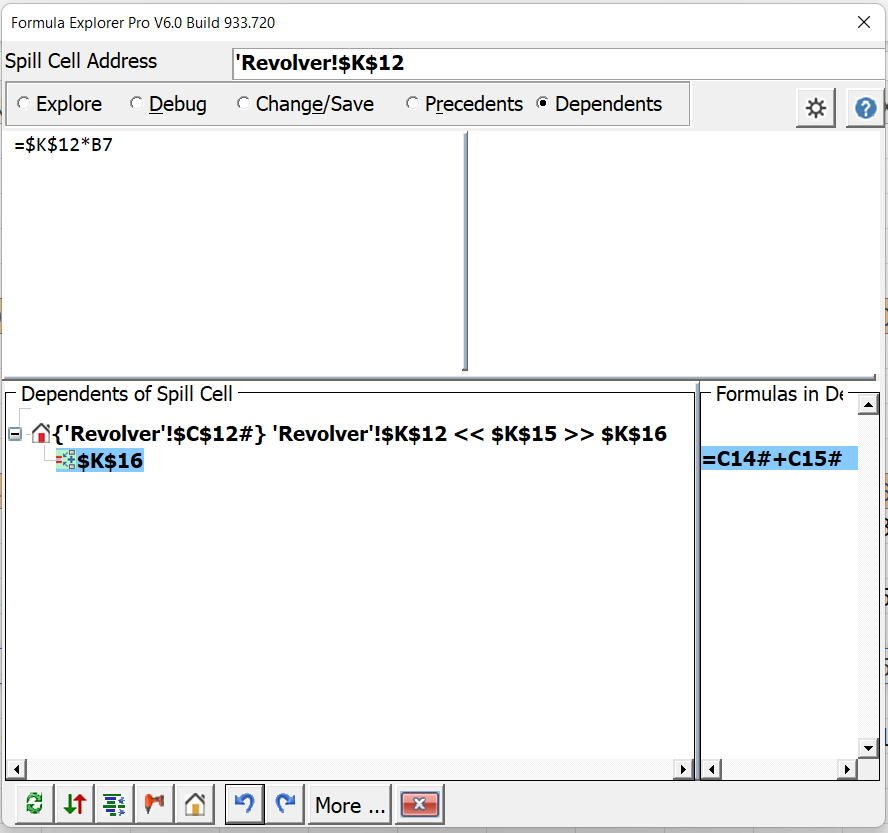
This example shows dependency tracing on spill cells. The parent spill cell formula address is shown in curly braces: 
This is followed by the drill down path showing the drill-down history and the cells that the forward and backward arrows will drill to.
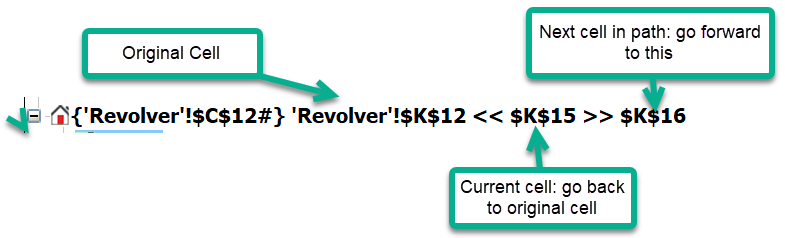
The Green icons show that these cells ALL contain formula, yellow icons show that SOME cells contain formulas and no icons show NO cells contain formulas.
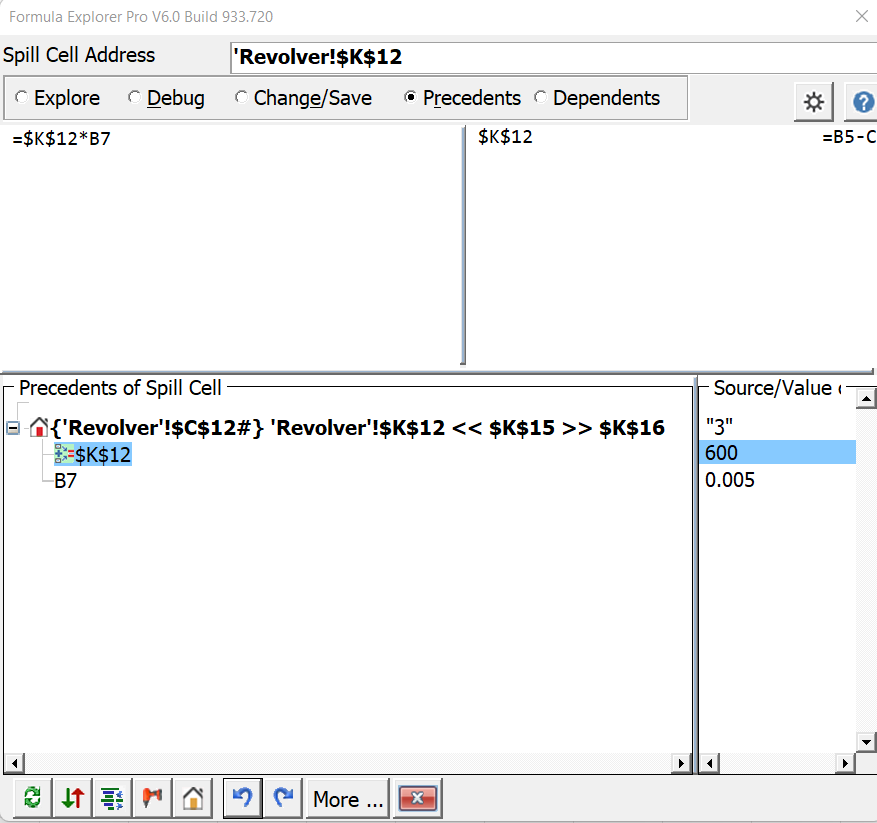
You can switch from Dependency mode to precedent mode from within the drill-down chain.
Mixing Dependents and Precedents Mode
With current cell K15 switching to precedents shows this:
|

