|
Precedents
Precedents mode shows you all the unique on-sheet and off-sheet precedents of the formula.
These include precedents of functions like INDIRECT and OFFSET that do not work with the native Excel precedent tools.
Yellow icon means that the precedent contains a mixture of formulas and constants.
Green icon means that all the cells in the precedent contain formulas.
Green text in the Source/Value box shows the range that the Function used to give its resulting values.
The values box shows the location and formula(s) in the precedent range.
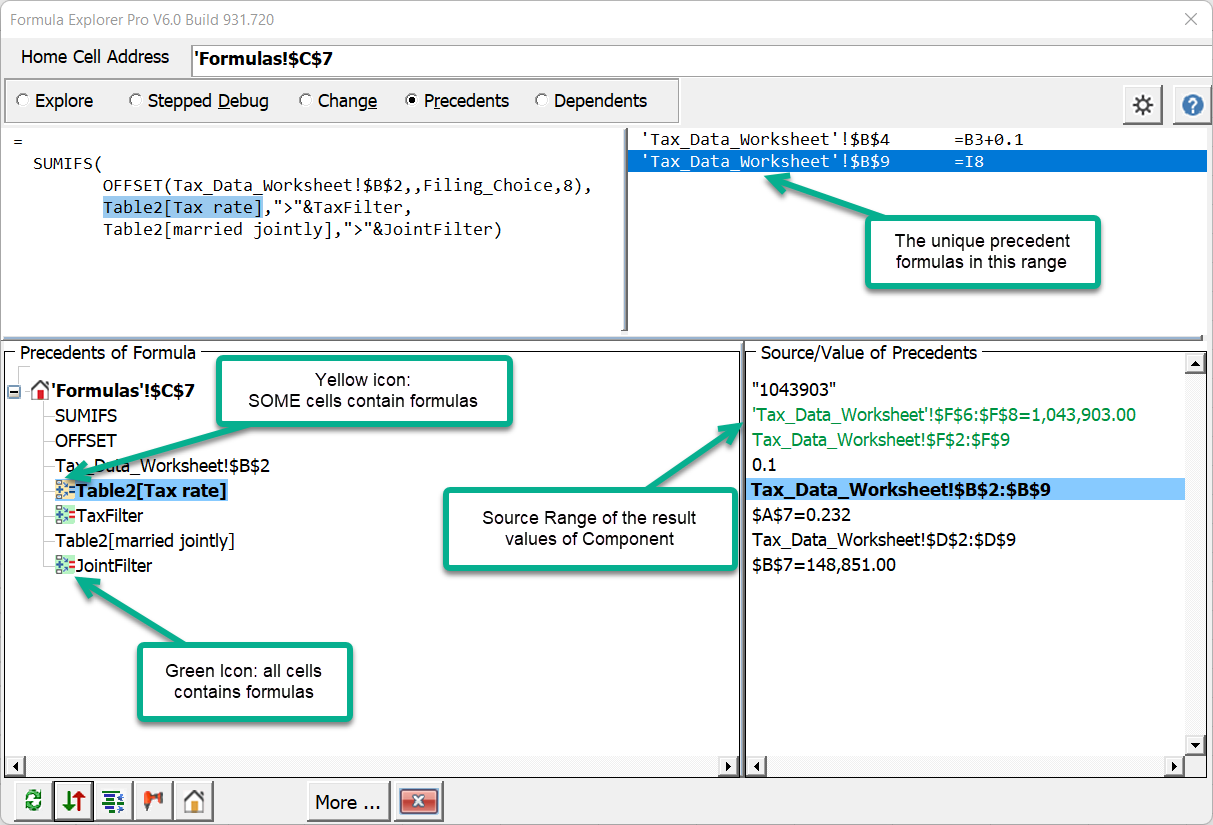
When the precedent contains multiple formulas selecting one will select the worksheet cell containing the formula.
|

