|
Debugging Array Results
When a part of the formula (a Component) is replaced by an array of values it is replaced in the indented formula by a placeholder like {~10). Clicking on a placeholder shows the array results of the placeholder.
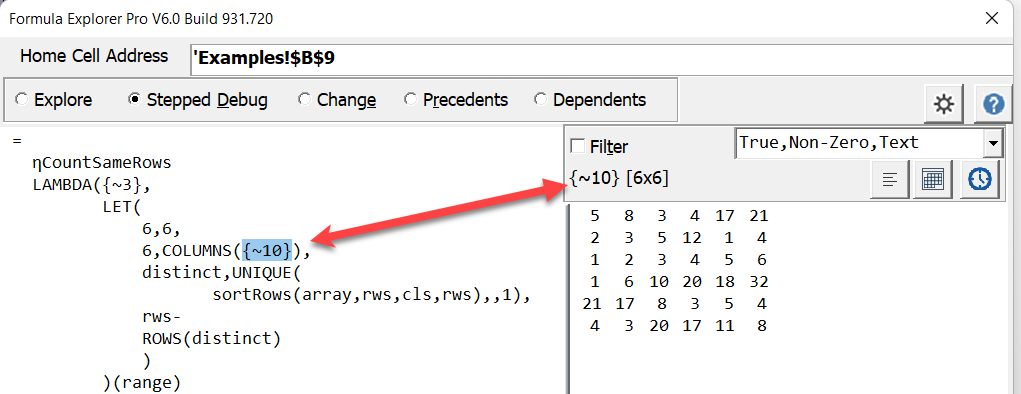
Non-Array results (scalars) are directly replaced within the formula.
With Formula Explorer Pro 6 Debug you get two views of the formula:
An indented view that is progressively collapsed as the parts of the formula are replaced by results.
A Component view that allows you to explore any of the Components in detail, including Components that have already been replaced in the Indented Formula view.
|

