|
Explore Name Button

When one name is highlighted in the main window, you can press the Explore button to show Formula Explorer Pro for the selected Name.
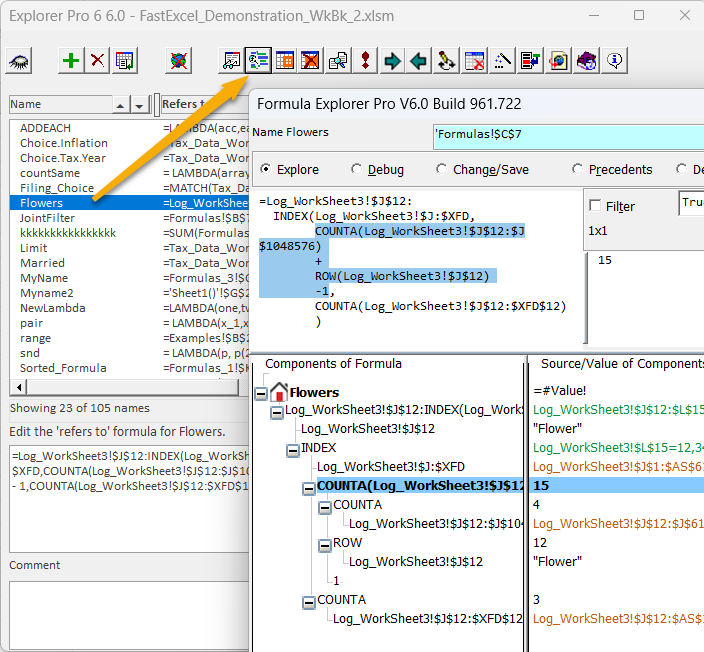
All Explorer Pro functions are available.
In the Explorer Pro form the name of the Name being explored is shown at the top left, and the home cell textbox is shown with a light blue background to indicate you are exploring a Named Formula.
|

